How to get a quote
Modified on Fri, 2 Oct at 4:32 PM
Overview
You can generate a quote yourself in a few clicks. The quote includes your local taxes and can be sent to your accounting department for approval.
Step 1: Open the quote page for your license
Choose the license type you need:
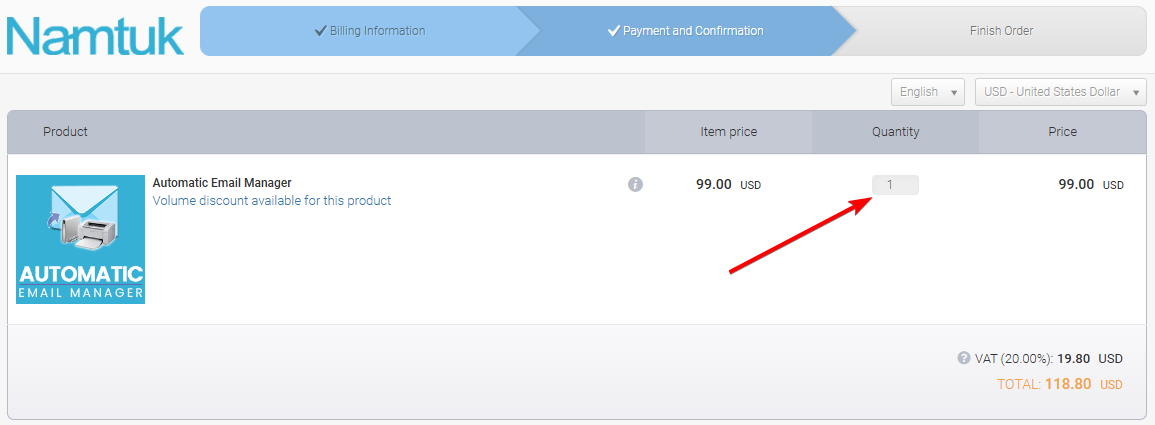
Step 2: Set the quantity
Enter the number of licenses you need.
Step 3: Click Get quote
At the bottom of the page, click Get quote.
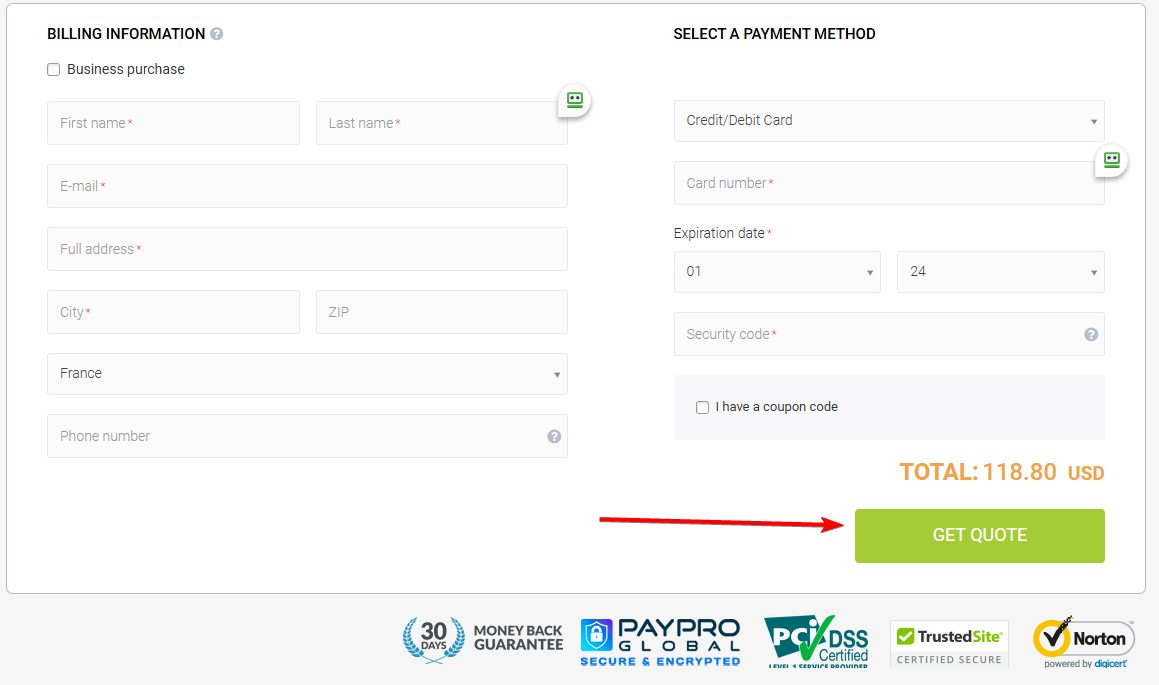
Step 4: Enter your billing details
Fill in the form with your company and billing information.
Important: Select your country correctly. It is used to calculate your local taxes (VAT or sales tax).
Your quote is then generated and ready to download or send.
Need something else?
- Special request: contact us.
Was this article helpful?
That’s Great!
Thank you for your feedback
Sorry! We couldn't be helpful
Thank you for your feedback
Feedback sent
We appreciate your effort and will try to fix the article