Google asks you to renew Automatic Email Manager's access to your Gmail account
Modified on Fri, 2 Oct at 4:23 PM
What's happening
Google now requires you to renew access every few months for apps that read your Gmail account. If you don't, the connection with Automatic Email Manager is reset and your Gmail account stops being processed.
Google warns you by email before this happens.
Option 1: Renew access from Google's email (recommended)
- Open the email from Google about Automatic Email Manager's access to your account data.
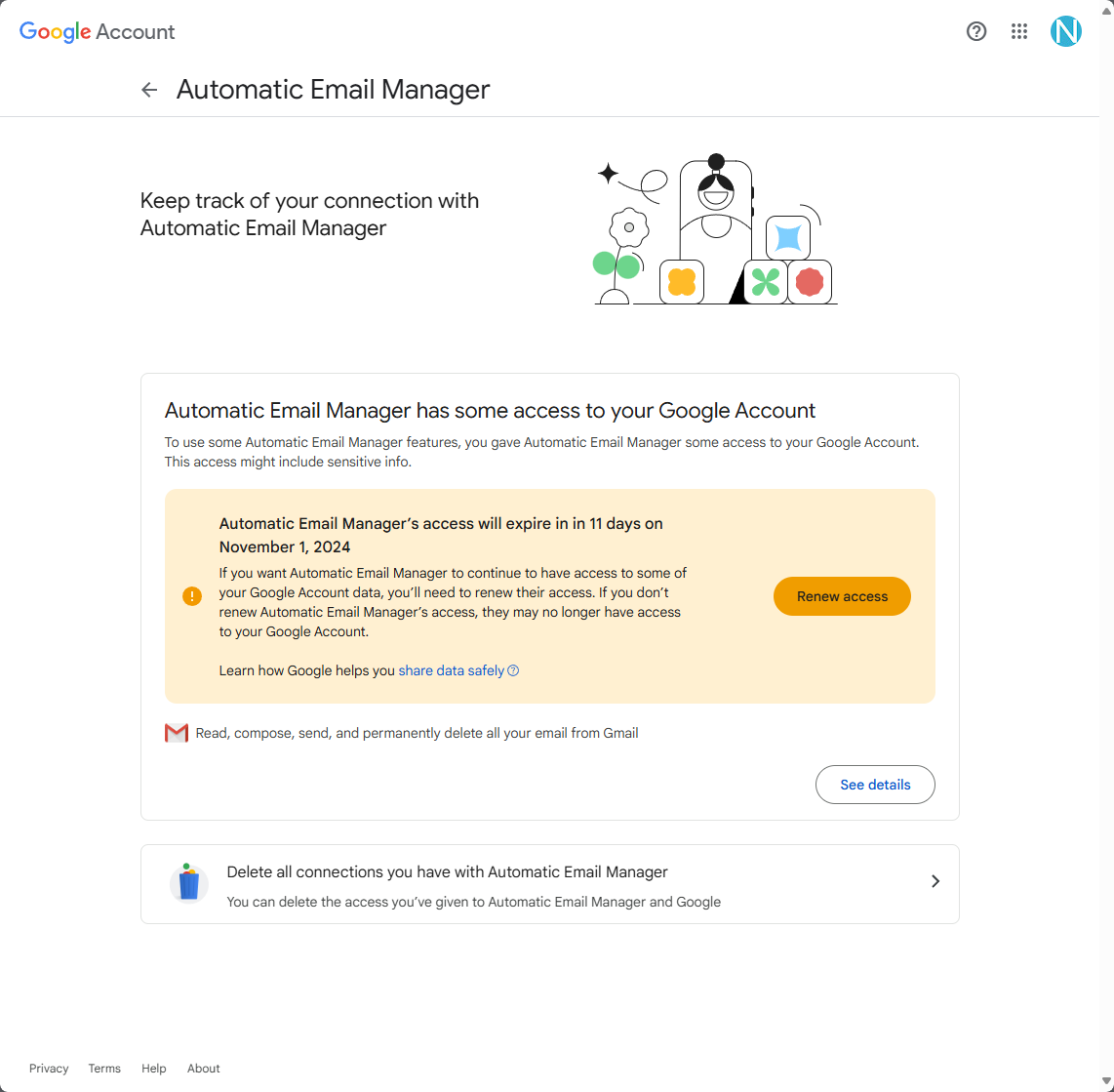
- Click the link in the email. A Google page opens.
- Click Renew access.
That's all. No action is needed in Automatic Email Manager.
Option 2: Reconnect the account if access has already expired
If the connection was reset, sign in again:
- Click Your accounts, then edit your Gmail account.
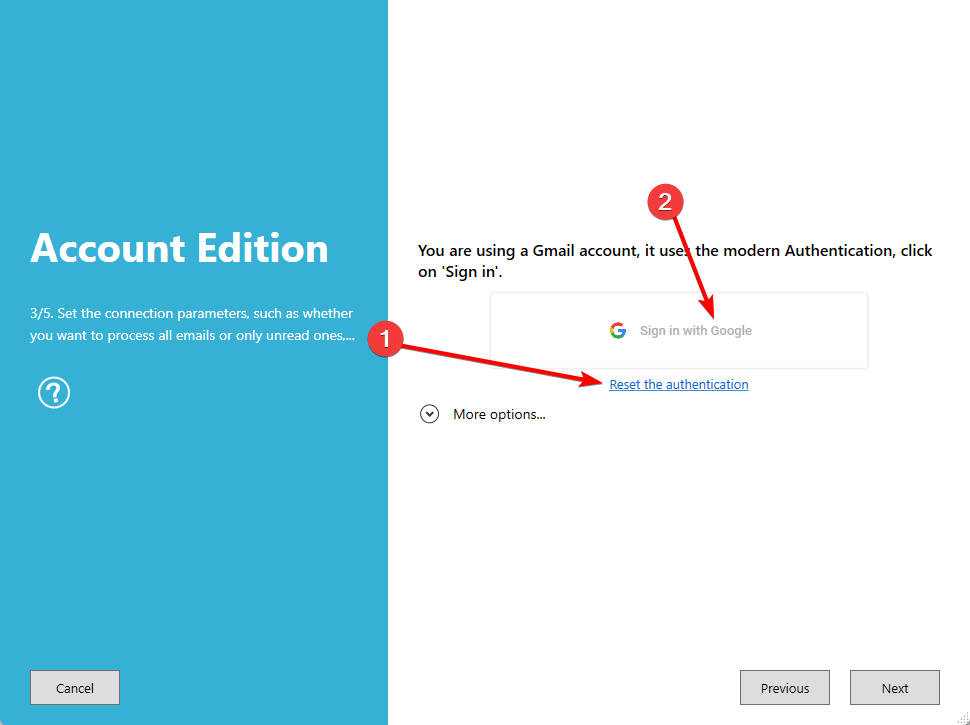
- Go to step 3.
- Click Reset the authentication.
- Click Sign in with Google and follow the prompts.
- Save the account.
Was this article helpful?
That’s Great!
Thank you for your feedback
Sorry! We couldn't be helpful
Thank you for your feedback
Feedback sent
We appreciate your effort and will try to fix the article