Can I apply the same actions to files in a folder?
Modified on Fri, 2 Oct at 4:26 PM
Short answer
Automatic Email Manager works with incoming emails only. To process files that arrive in a folder, use Rofiles, our companion product. It works like Automatic Email Manager, but for files.

What is Rofiles?
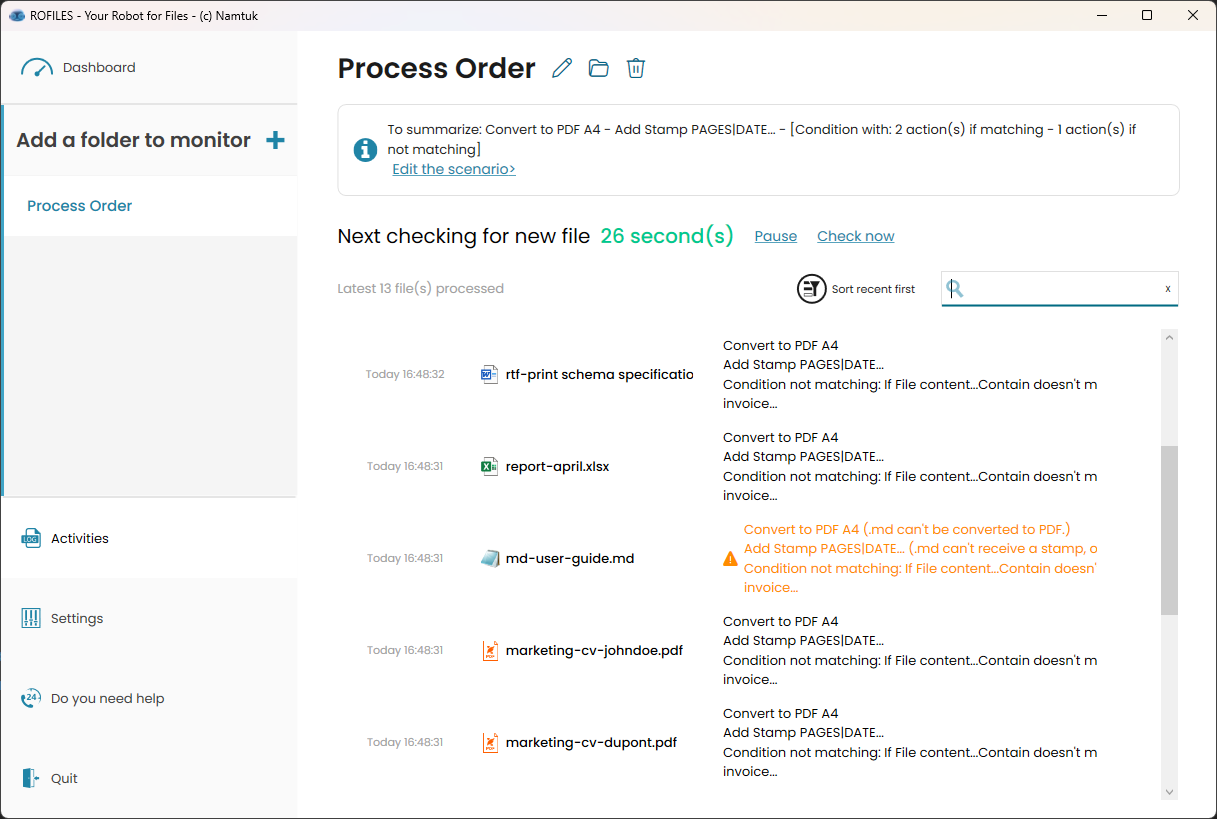
Rofiles is a Windows application that automates file processing on PCs and servers.
- It monitors one or more folders.
- When a new file arrives, it runs a scenario you defined.
- Scenarios can include conditions, so each file is handled according to your rules.
Like Automatic Email Manager, Rofiles runs as a Windows service in the background, even when no user is logged in.
What can Rofiles do?
Local file processing
- Convert many file types to PDF or image formats.
- Edit PDFs: add, remove, or reorder pages, split, or merge.
- Transform images: resize, crop, rotate, flip, mirror, or apply filters.
- Extract text from documents, PDFs, and images (OCR).
AI actions (using models such as Gemini or ChatGPT)
- Summarize long documents.
- Translate file content.
- Transcribe audio files to text.
- Convert text to audio.
- Generate images from text prompts.
Note: AI actions send data to an external service for processing.
Where can processed files go?
- Local disk or network share
- FTP or SFTP server
- Email, with a custom message and attachments
- Microsoft Teams or Slack
- Telegram or mobile push notifications
Using Automatic Email Manager and Rofiles together
You can combine both products. For example, Automatic Email Manager saves email attachments to a folder, and Rofiles then converts, renames, or sends them wherever you need.
Was this article helpful?
That’s Great!
Thank you for your feedback
Sorry! We couldn't be helpful
Thank you for your feedback
Feedback sent
We appreciate your effort and will try to fix the article