Send a message to a Slack channel
Modified on Thu, 1 Oct at 4:46 PM
Get a message in your Slack channel each time an important email arrives. You can include the subject, the sender, the email body, and even post the attached files.

Note: The Automatic Email Manager Notif app isn't listed in the Slack App Directory yet. Use the Add to Slack button in Step 1 to install it.
Setup takes two steps.
Instructions to connect to Slack
TABLE OF CONTENTS
Step 1: Add the app to Slack
Use one of these two methods.
- Method A: Use the install button
Click Add to Slack and follow the instructions:
- Method B: Add the app from your channel
- In Slack, open the channel and click its name at the top to open the channel details.
- In Slack, open the channel and click its name at the top to open the channel details.

- Click Integrations, then Add an App.
- Search for Automatic Email Manager Notif and click Add.

- After the installation, copy the Bot token provided by Slack. You'll need it in Step 2.
Step 2: Add the action in Automatic Email Manager
- In the left menu, click Scenarios. Edit an existing scenario or click New scenario.
- Click Add action, then select Send notification, then Send a message to a Slack channel.
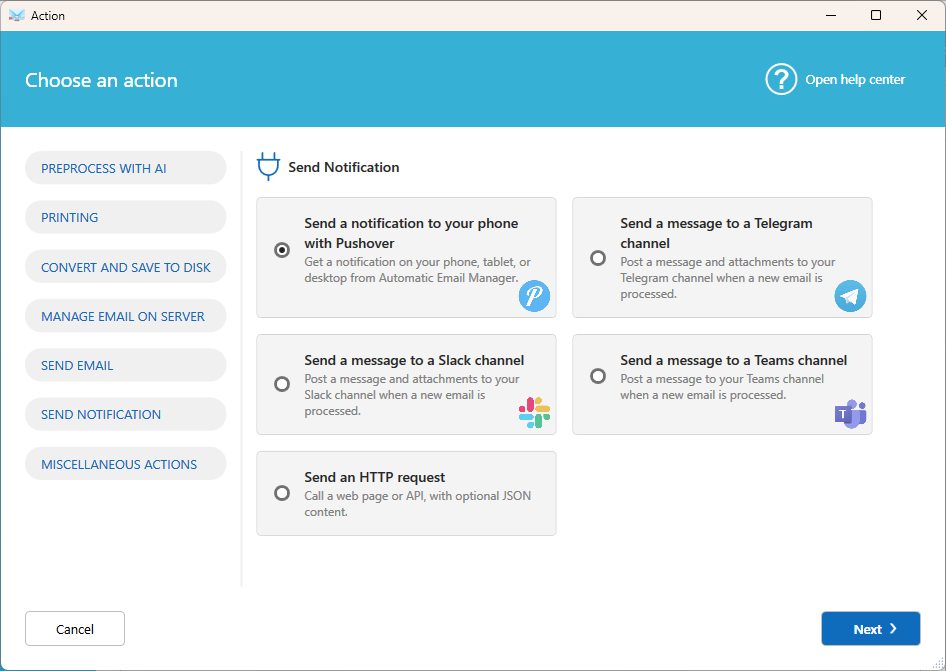
- Fill in the settings:
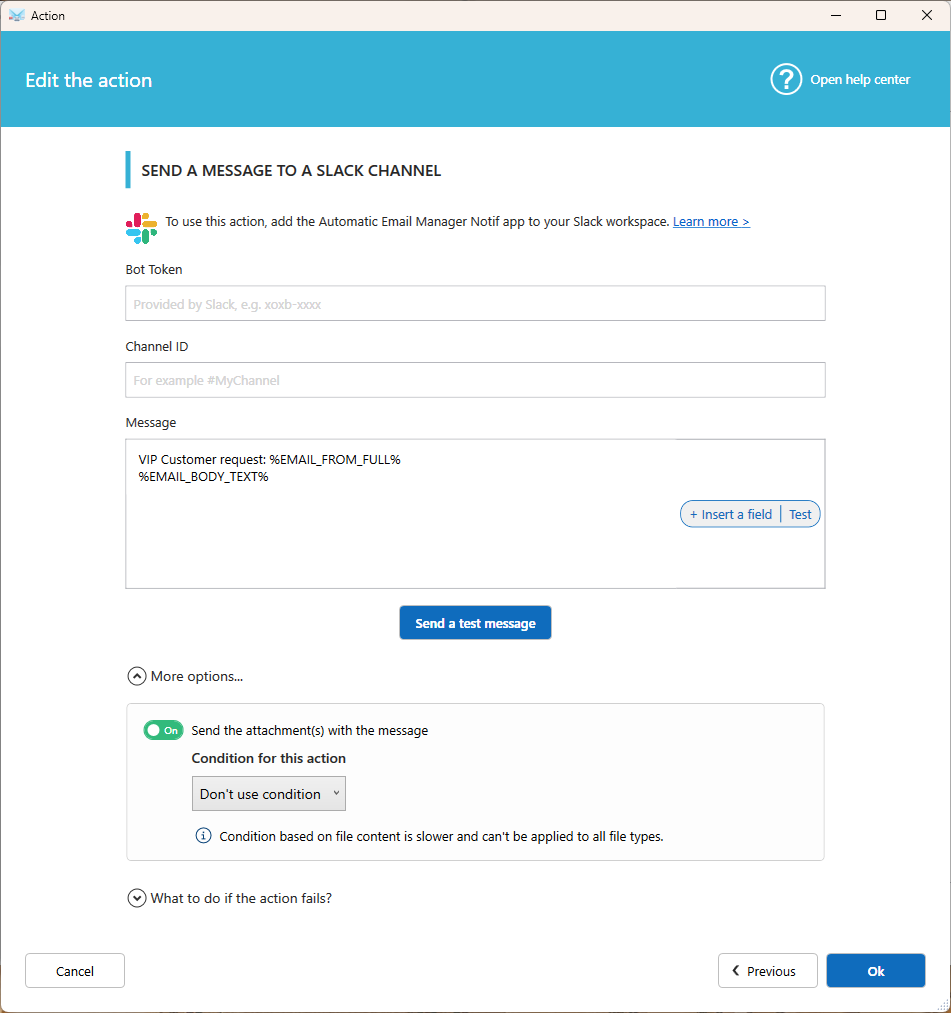
- Bot token: The token provided by Slack when you added the app.
- Channel Id: The channel that receives the messages, in the format
#MyChannel. - Message: The text to post. Click Fields to insert the subject, the sender, the email body, or the list of attachments.
- Send the attachment(s) with the message: Turn this on to post the attached files in the channel.
- Click Ok to save the action.
Tip: To avoid posting too many files, add a condition to send only specific attachments, for example only .pdf files.
Related articles
- Send a message to a Teams channel
- Send a message to a Telegram channel
Was this article helpful?
That’s Great!
Thank you for your feedback
Sorry! We couldn't be helpful
Thank you for your feedback
Feedback sent
We appreciate your effort and will try to fix the article