Get your API key for ChatGPT, Gemini and Claude
Modified on Thu, 15 Oct at 11:40 AM
AI actions in Automatic Email Manager use your own API key. This way, you stay in control of your data and your costs. We never have access to your data.
Privacy: When you use an AI action, the email data is sent to the AI service you selected, outside your network.
Automatic Email Manager works with OpenAI ChatGPT, Google Gemini and Anthropic Claude AI. Need another provider? Contact us.
Cost: Google Gemini offers a free API key, with usage limits. OpenAI and Anthropic requires a paid account.
Get a Google Gemini API key
- Go to aistudio.google.com/apikey and sign in with your Google account.
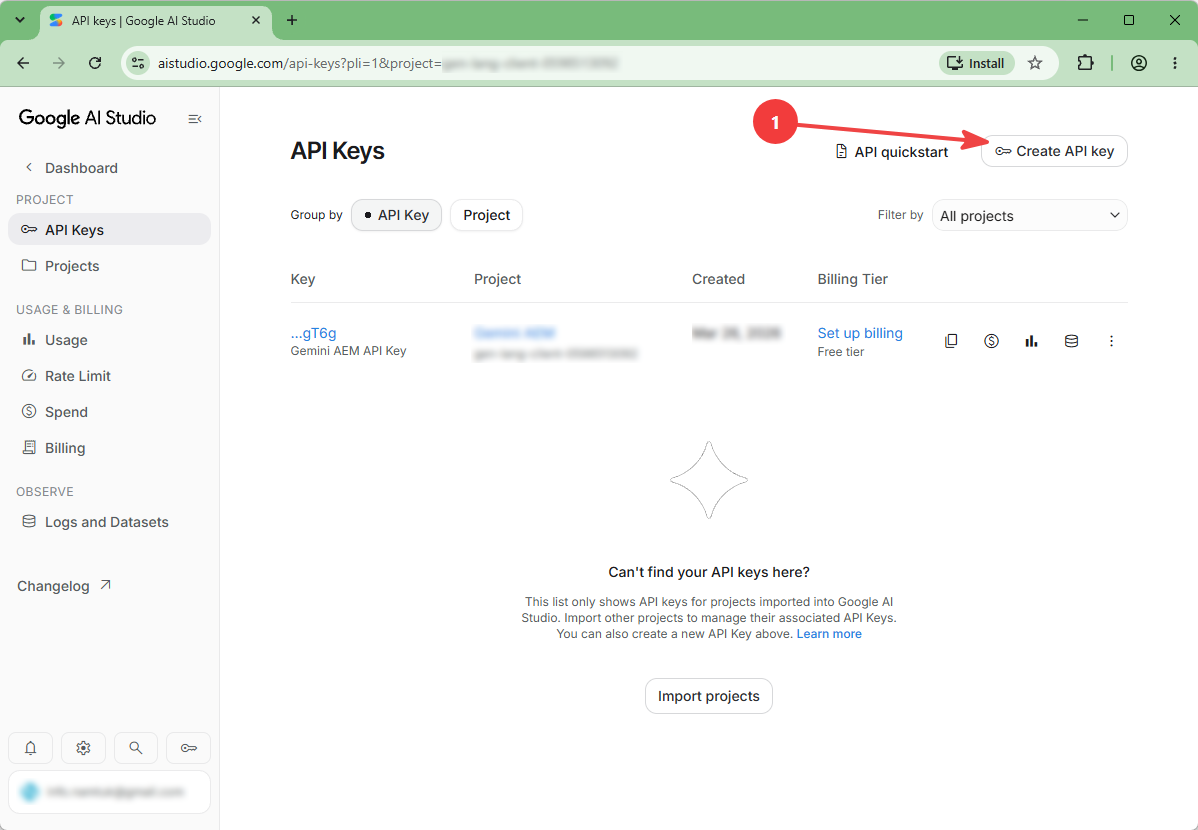
- Click Create API key and follow the instructions on screen.
- Copy your API key.
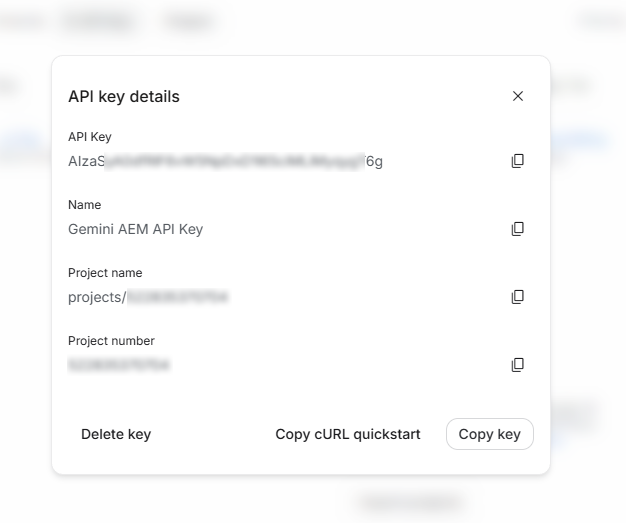
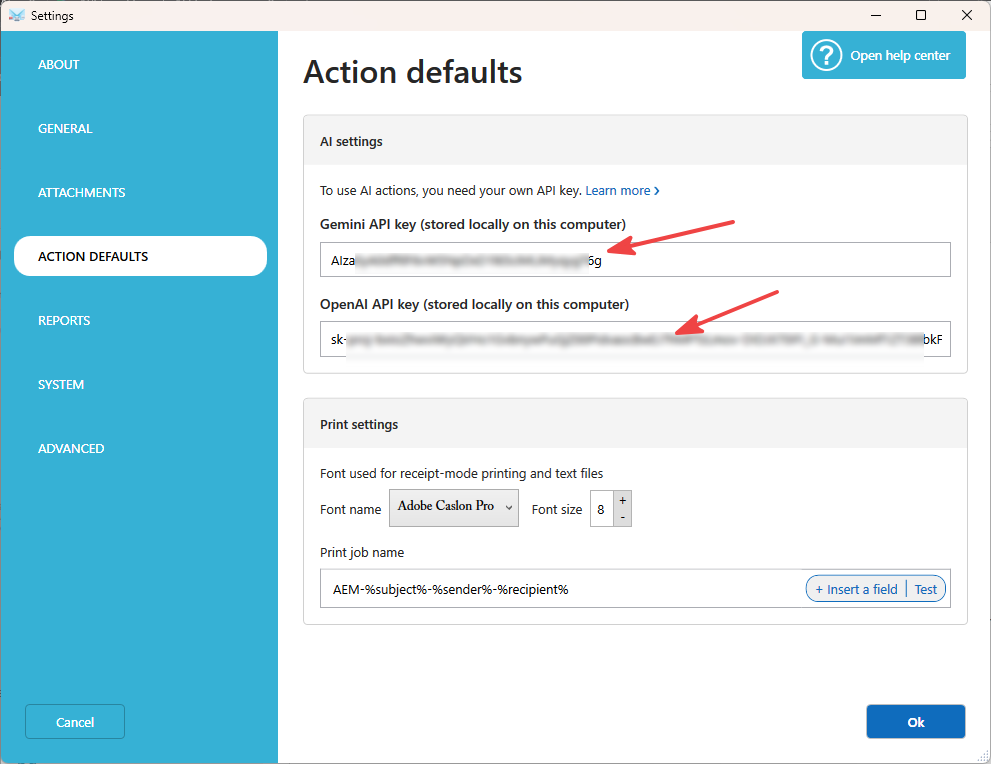
- In Automatic Email Manager, open Options, then Action defaults.
- Paste the key in the Gemini API key field.
Get an OpenAI ChatGPT API key
- Go to platform.openai.com/api-keys and sign in.
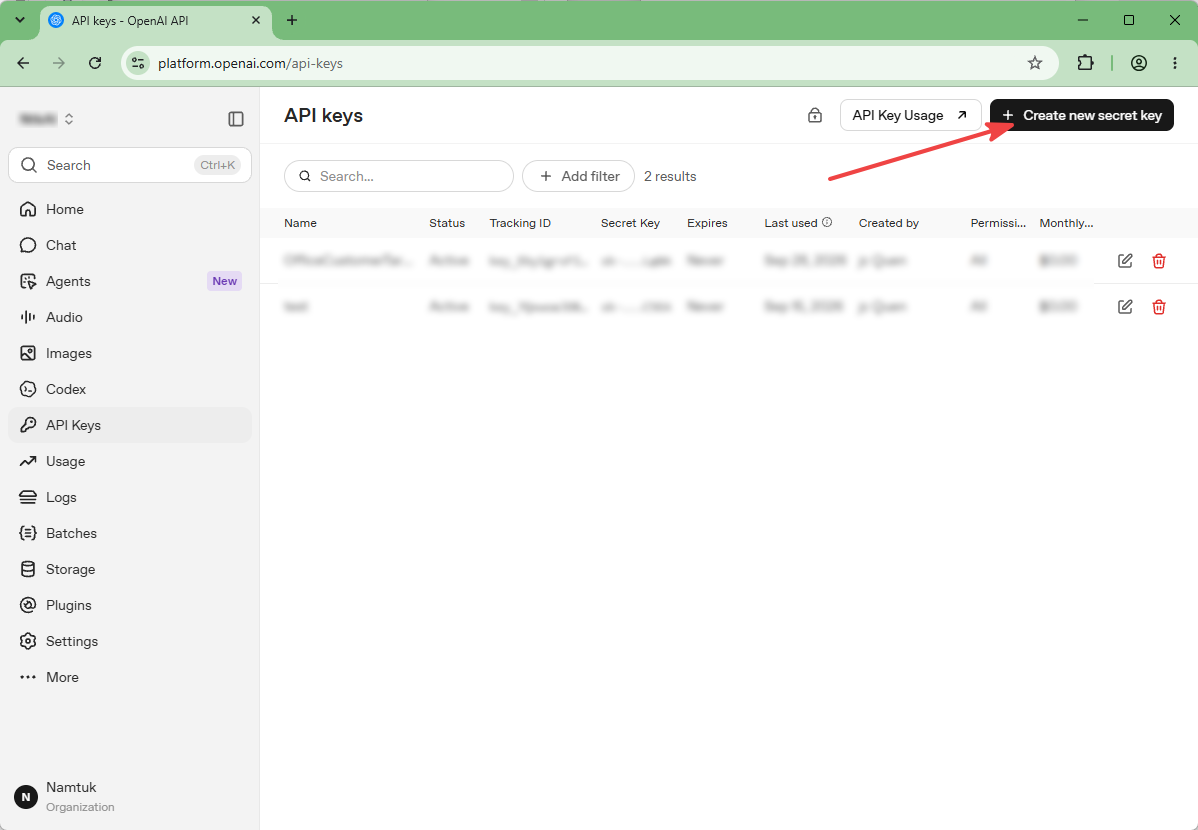
- Click Create new secret key and follow the instructions on screen.
- Copy your API key. You can't view it again after closing the window.
- In Automatic Email Manager, open Options, then Action defaults.
- Paste the key in the ChatGPT API key field.
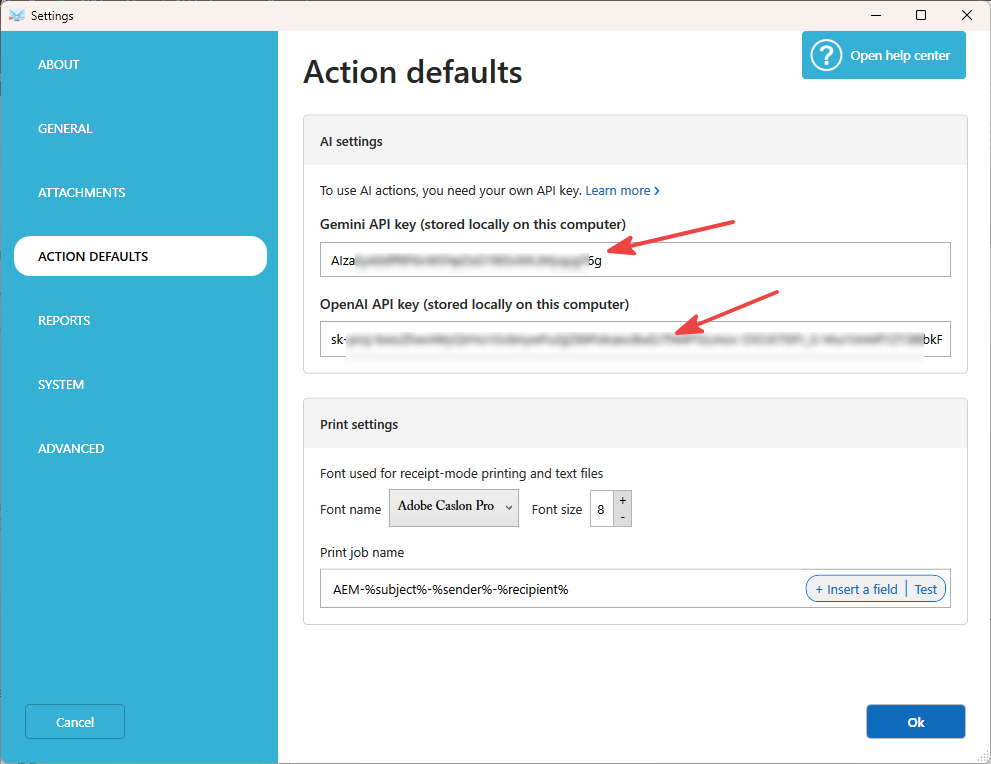
You're ready to use the AI actions.
Tips
- Keep your API key private. Anyone who has it can use your account.
- If an AI action fails, check that your key is valid and that your AI account has available credit.
Related articles
- Action: Preprocess email content with AI
- Action: Preprocess attachments with AI
Was this article helpful?
That’s Great!
Thank you for your feedback
Sorry! We couldn't be helpful
Thank you for your feedback
Feedback sent
We appreciate your effort and will try to fix the article