What are the conditions between scenarios?
Modified on Thu, 1 Oct at 6:22 PM
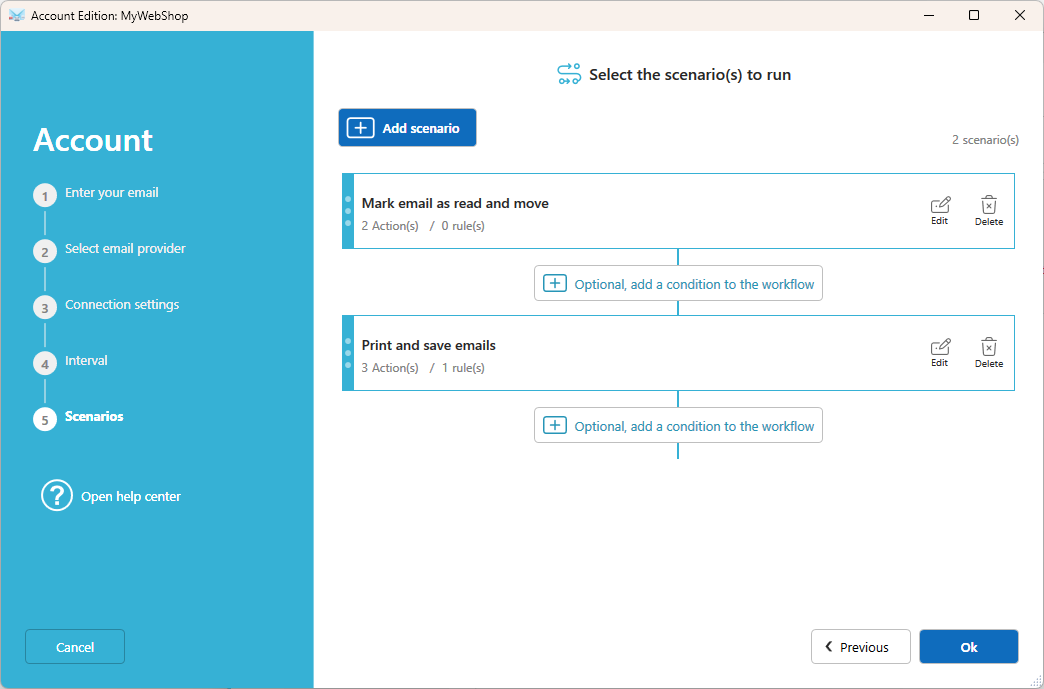
When an account uses several scenarios, they run one after another, in the order listed. You can add rules between two scenarios to decide what happens next, depending on the result.
Two rules you can set
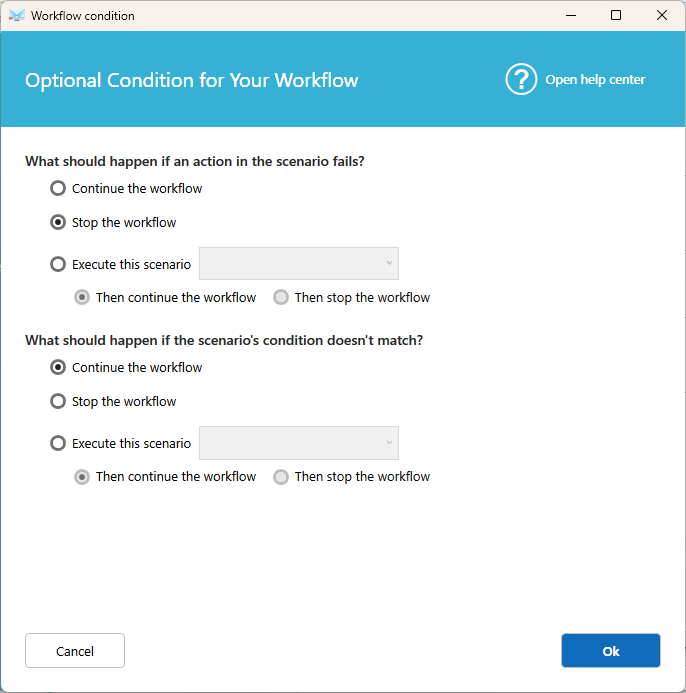
1. If an action in the scenario fails
Choose what happens when one of the actions can't be completed, for example when a printer is offline:
- Continue the workflow to the next scenario if one exists.
- Stop the workflow. The remaining actions and scenarios are skipped.
- Execute this scenario, select the scenario you want to execute, then choose to continue to the next scenario or stop. For example, send yourself a notification to be alerted of the problem.
2. If the scenario's conditions don't match
Choose what happens when the email doesn't meet the scenario's conditions:
- Continue the workflow.
- Stop the workflow for this email.
- Execute this scenario, select the scenario you want to execute, then choose to continue to the next scenario or stop.
Examples
Get alerted when something goes wrong
- Scenario Print orders. If an action fails like printing, Execute this scenario : Print to a second printer.
Good to know
- Without any rule, all scenarios of an account run in order, and every scenario whose conditions match is applied.
- The failure rule applies to the whole scenario. To control a single action, set what to do on failure in the action itself.
- Failed actions are always listed in Activities, whatever rule you choose.
Related articles
Was this article helpful?
That’s Great!
Thank you for your feedback
Sorry! We couldn't be helpful
Thank you for your feedback
Feedback sent
We appreciate your effort and will try to fix the article