Action: Forward email
Modified on Tue, 29 Sep at 5:19 PM
Forward each incoming email to one or more recipients. You can forward it as a normal email, or attach the whole original email as a file.
Your account needs valid SMTP settings to forward emails. Set your SMTP to send email.
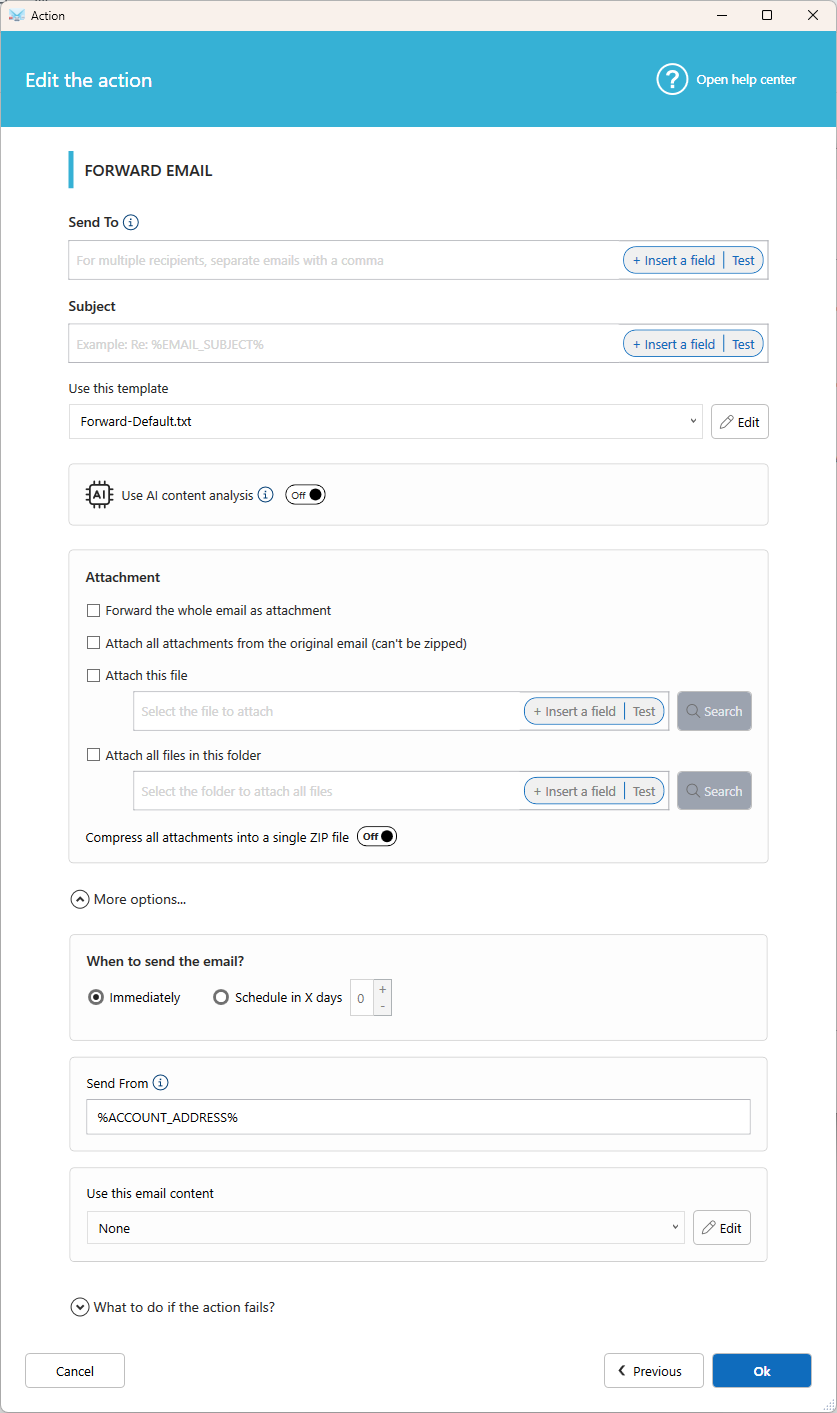
Settings
Send To
Enter the recipients. To add several, separate the addresses with a comma. Click Insert a field to use an address from the original email.
Subject
Enter the subject line. Click Insert a field to reuse original email data. For example, Fwd: %EMAIL_SUBJECT%.
Use this template
Choose the layout of the forwarded email. Click Edit to change a template, then save it under a new name to create your own.
Use AI content analysis
Turn this on to let AI email content result in your reply (for the field %EMAIL_BODY%). Learn more.
Attachment
- Forward the whole email as attachment: Attaches the original email as a
.msgfile, so the recipient receives it unchanged. - Attach all attachments from the original email: Forwards the original files. These files can't be zipped.
- Attach this file: Select a single file, or click Insert a field to build the path from email data.
- Attach all files in this folder: Attaches every file found in a folder.
- Compress all attachments into a single ZIP file: Sends one ZIP file instead of several attachments.
Tip: Add a Save email to disk action before this one to convert the email to PDF, then attach the PDF from its folder.
More options
When to send the email?
- Immediately
- Schedule in X days: Forwards the email after the number of days you choose.
Send From
Enter the sender address. We recommend keeping the default value, %ACCOUNT_ADDRESS%.
Most sending errors happen when the address isn't authorized by your SMTP server.
Use this email content
Choose a predefined content to insert in the forwarded email, or select None. Click Edit to create or change one.
What to do if the action fails?
Choose to continue, stop, or run another action. Learn more about Fail Action.
Was this article helpful?
That’s Great!
Thank you for your feedback
Sorry! We couldn't be helpful
Thank you for your feedback
Feedback sent
We appreciate your effort and will try to fix the article