Action: Download file from link in email
Modified on Thu, 1 Oct at 5:26 PM
Some emails don't contain attachments, only a link to download a file, such as an invoice or a report. This action finds those links in the email body, downloads the files, and processes them like regular attachments. It works with links to files hosted on OneDrive, Dropbox, Google Drive, and similar platforms.
Use case: See how to download and print Shopify invoices and packing lists.
Add the action
- Create or edit a scenario.
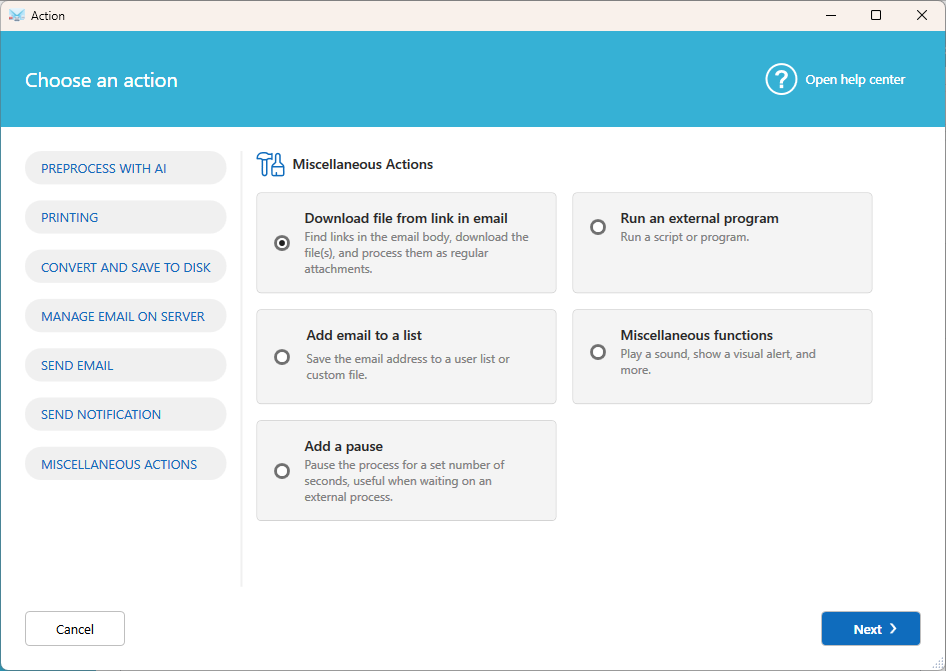
- Click Add action, then select Miscellaneous actions, then Download file from link in email.
- Configure the action:
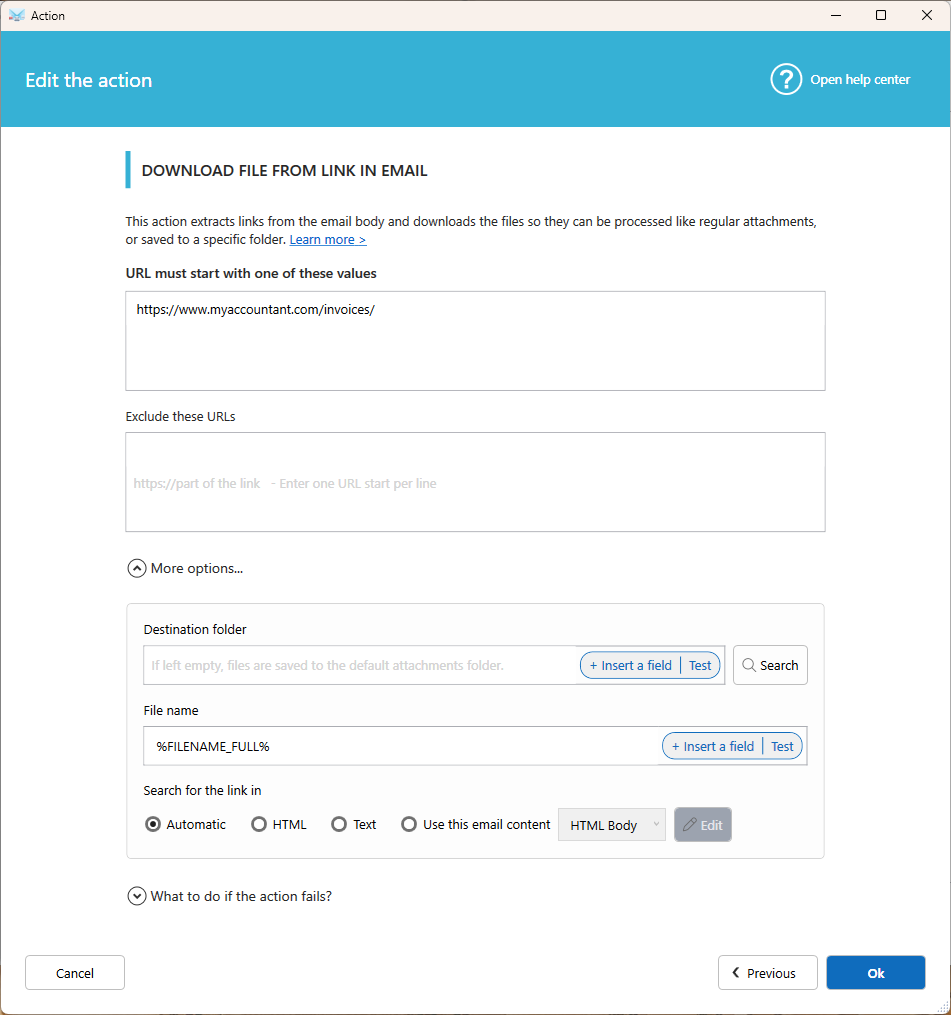
- Url must start with: The beginning of the links to download, for example
https://invoices.mycompany.com/. To enter several, use one per line. - Exclude these urls: Optional. Skip links that contain a specific text or file name, for example
privacyorconditions.pdf. - Destination folder: Optional. Saves the files directly to this folder.
- File name: Keep the default name, or enter your own.
- Search the link in which email part: Look for links in the HTML body, the TEXT body, or in a part of the email defined by a data extractor template.
Important: If you set a Destination folder, the files are saved there directly. They are not treated as attachments, so later actions in the scenario, such as printing, won't process them. To print or convert the files, leave the destination folder empty.
Tips
- Be as specific as possible in Url must start with. This avoids downloading unwanted files, like logos or tracking links.
- Place this action before the actions that process attachments, such as Print attachment(s) or Save attachment(s) to disk.
- To process only certain file types, add a condition on the file name in the next action, for example Contains
.pdf.
Related articles
Was this article helpful?
That’s Great!
Thank you for your feedback
Sorry! We couldn't be helpful
Thank you for your feedback
Feedback sent
We appreciate your effort and will try to fix the article